 Sprint Board TV
Sprint Board TV for Jira · Apple TV
Your sprint,
on the office TV.
Put your team's Jira sprint on the wall: who's on what, what's done and how many days are left, big enough to read from across the room. With a standup timer built in.
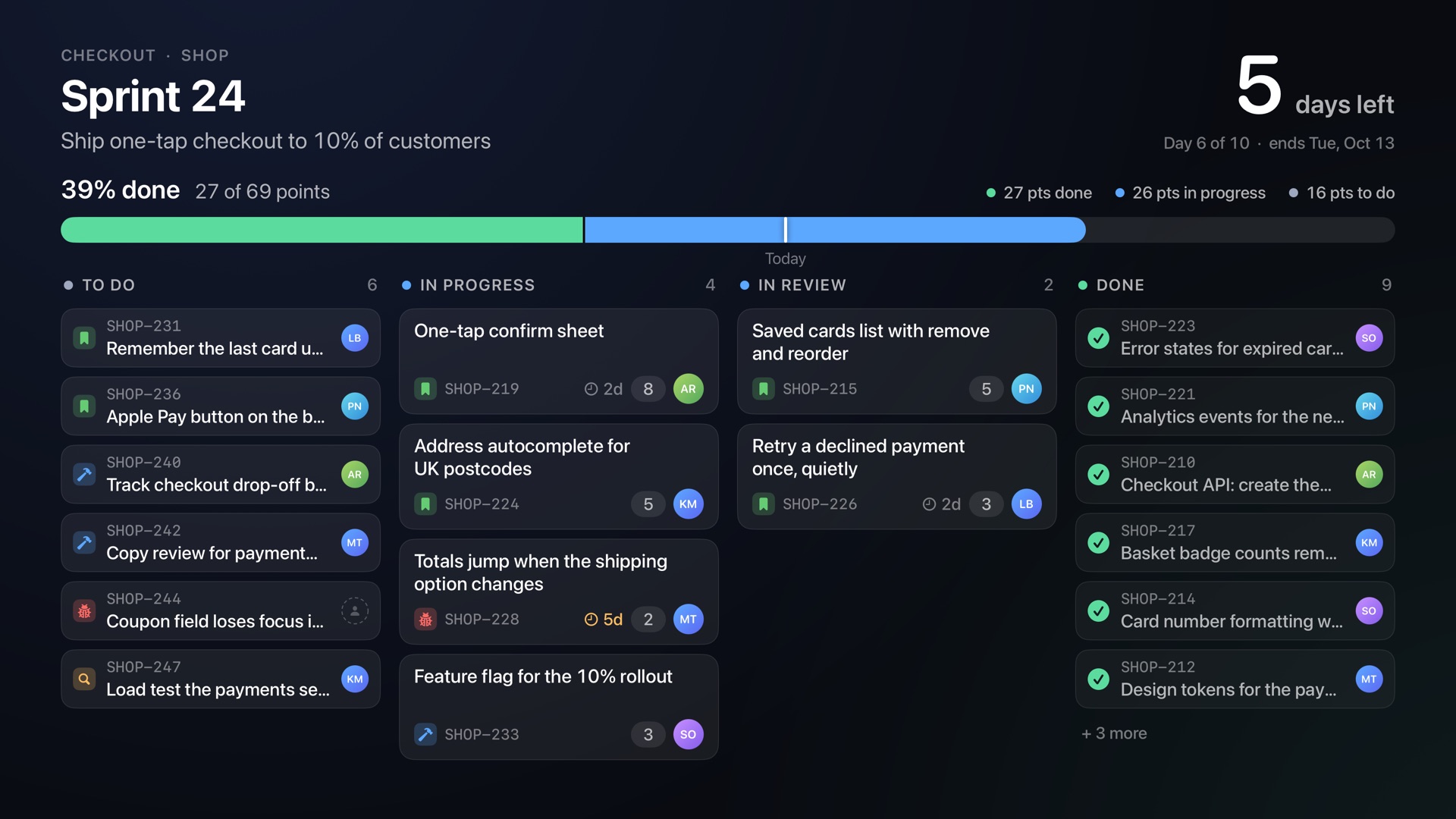
Who's on what
Your board's own columns and tickets, with the person on each one.
Done against time
One bar shows work done, with a mark for today, so anyone walking past can tell if the sprint is on track.
Days left
Counted in working days, with which day of the sprint it is.
Made for the wall
Calm enough to leave on all day.
Sprint Board refreshes every minute and only moves when your team does.
A moment for every finished ticket
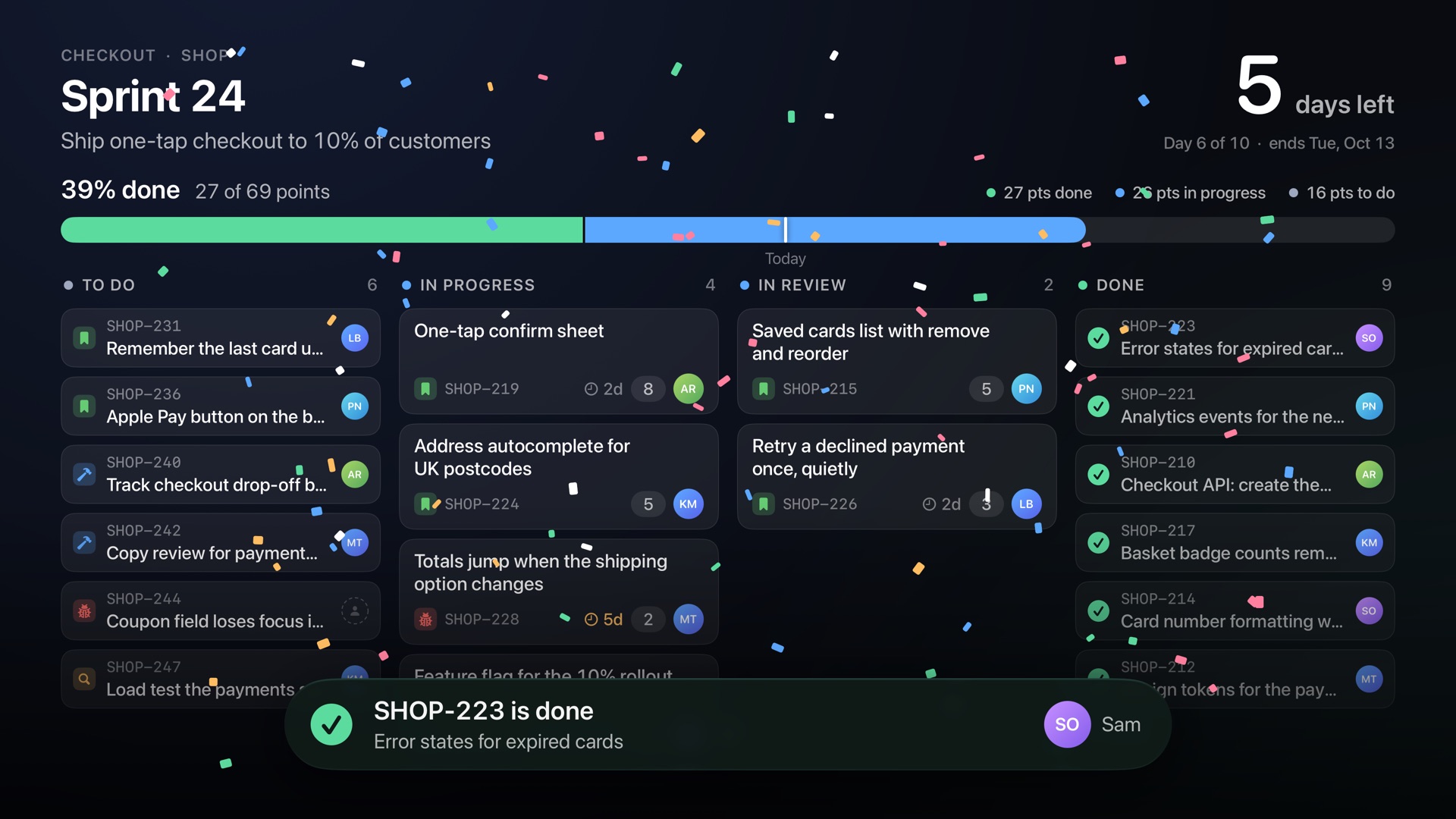
When a ticket reaches Done, its card glides across the board and the team gets a burst of confetti and a name to thank. Tickets stuck in progress for days quietly turn amber, so the right questions come up at standup.
Standup, built in
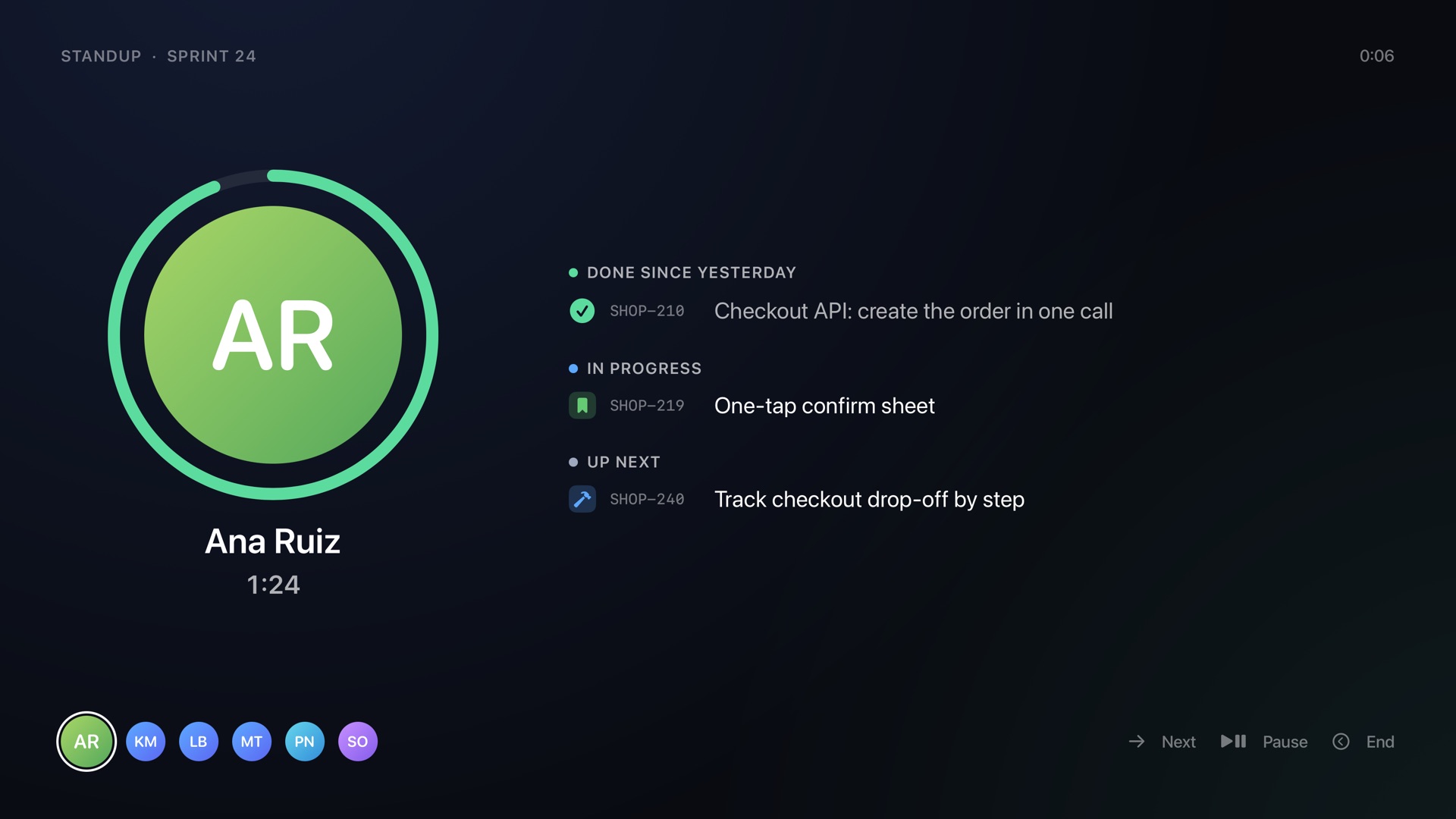
Press Play/Pause and the board becomes the daily standup: one person at a time, with what they finished since yesterday, what they're on now and what's next. A gentle clock keeps things moving and never cuts anyone off. The speaking order changes every day.
Set up from your phone
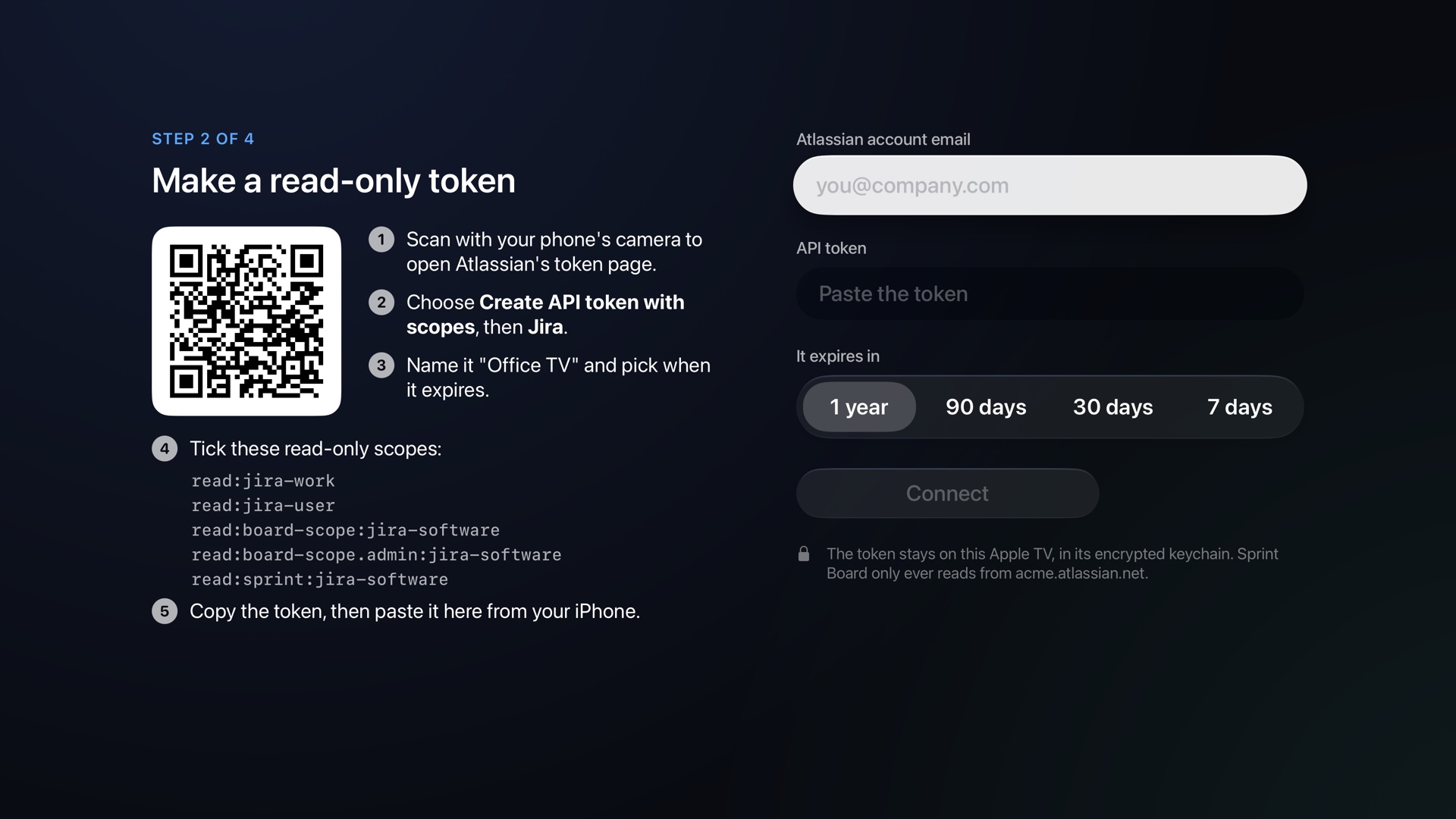
Scan a code to make a read-only Jira token on Atlassian's own page, then paste it in from your iPhone's keyboard. Nothing on the TV can change anything in Jira, and the token never leaves the Apple TV's encrypted keychain.
Read-only
Nothing on the TV can change anything in Jira.
Private
Talks only to your Jira site. No account with us, no analytics, no ads.
Never stale
If Jira stops answering, the board says so instead of passing off old news as live.
Stays awake
Keeps the TV from dropping into the screen saver while the board is up.
Kind to screens
Shifts the picture a few pixels now and then, so nothing burns into an OLED panel.
For everyone
Works with VoiceOver, Reduce Motion and larger text.
Plans
One plan for the whole office.
Choose how many TVs show the board, from 1 to 25. One monthly plan covers every Apple TV signed in to the same Apple Account, and from the fifth TV on, each one costs less.
$42.99 a month
$4.29 per TV · 13% less per TV than a single TV
First 14 days free
- 1 TV $4.99 a month
- 3 TVs $14.99 a month · $4.99 per TV
- 5 TVs $23.99 a month · $4.79 per TV
- 10 TVs $42.99 a month · $4.29 per TV
- 25 TVs $87.99 a month · $3.51 per TV
Every plan starts with a 14-day free trial, once per Apple Account. Not ready to connect Jira? The sample sprint in the app is free. Prices are in US dollars; the App Store shows your local price. Billed by Apple; cancel any time in the Apple TV's Settings.
What you need
Two minutes and a remote.
Questions? Support has the answers, and how to reach us.